Alchemy IGB: Difference between revisions
Jump to navigation
Jump to search
imported>Ikskoks |
imported>Ikskoks |
||
| Line 57: | Line 57: | ||
* [https://www.mediafire.com/file/vkd5fq5grqhkt0h/Alchemy_5_and_tools.7z/file Alchemy 5] (Alchemy Finalizer + Alchemy InsightViewer) | * [https://www.mediafire.com/file/vkd5fq5grqhkt0h/Alchemy_5_and_tools.7z/file Alchemy 5] (Alchemy Finalizer + Alchemy InsightViewer) | ||
=== Tutorial - Editing IGB files === | |||
: 1. Open Alchemy Finalizer | |||
: 2. Download optimization INI files from [https://cdn.discordapp.com/attachments/449515176312569856/804151863363895316/extract_and_re-internalize_textures.rar this link] | |||
: 3. Unpack INI files to some directory | |||
: 4. Drag and drop INI files to Alchemy Finalizer - to "Optimizations to run" window | |||
: 5. Right click on optimizations and run them | |||
: 6. Save new IGB file and close Finalizer. New IGB files will be smaller than original because now it only keeps references to TGA files, not the files themselves. | |||
: 7. Edit extracted TGA files | |||
: 8. Open NEW IGB file in Finalizer | |||
: 9. Load optimizations for injecting textures | |||
: 10. Save IGB file with injected TGA files | |||
=== See Also === | === See Also === | ||
Revision as of 12:12, 29 January 2023
Back to index | Edit this page
IGB
- Format Type : Archive / Model / Texture / Misc
- Endian Order : Little Endian
- Signature : None
Format Specifications
// IGB file format

32 bytes - file header?
16 bytes - version header?
4 bytes (uint32) - size of info table
4 bytes (uint32) - number of elements in info table

// info table (tags + paths)
num_of_entries *
{
   4 bytes (uint32) - string length
   x bytes (str) - tag or path  // e.g. "igInfoList" or "igImage"
                                // or "x:\base\UnOpt\textures\
                                //     fonts\font_xmen_big_xbox.PNG"
}


x bytes - some array


// TODO - format is very complicated, needs more research
MultiEx BMS Script
Not written yet.
Notes and Comments
- This file format occurs in games made by Alchemy Engine. It seems to be a scene file.
- Alchemy is a game engine designed by Intrinsic (firstly called Intrinsic Alchemy) and later purchased by Vicarious Visions. First used in 2002.
- Some textures in IGB files may be compressed.
- Wii/GameCube X-Men Legends and Marvel Ultimate Alliance games use Nintendo's BTI image format istead of IGB files.
Games
List of games using this file format:
- Marvel: Ultimate Alliance (needs confirmation)
- Marvel: Ultimate Alliance 2 (needs confirmation)
- Marvel: Ultimate Alliance 3 (needs confirmation)
- X-Men Legends (XBOX classic) (*.IGB)
- X-Men Legends II: Rise of Apocalypse (needs confirmation)
Compatible Programs
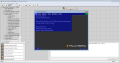
- Alchemy 5 (Alchemy Finalizer + Alchemy InsightViewer)
Tutorial - Editing IGB files
- 1. Open Alchemy Finalizer
- 2. Download optimization INI files from this link
- 3. Unpack INI files to some directory
- 4. Drag and drop INI files to Alchemy Finalizer - to "Optimizations to run" window
- 5. Right click on optimizations and run them
- 6. Save new IGB file and close Finalizer. New IGB files will be smaller than original because now it only keeps references to TGA files, not the files themselves.
- 7. Edit extracted TGA files
- 8. Open NEW IGB file in Finalizer
- 9. Load optimizations for injecting textures
- 10. Save IGB file with injected TGA files
See Also
Gallery
-
Alchemy Finalizer + Alchemy InsightViewer
